(So far, Vista has been a real pain! However I've finally gotten Vista
to load JET SUDOKU without any problems. But if you run into any
problems with installation, please drop me an email)
1). Download install_jet_sudoku.exe
Click here if you haven't already downloaded it
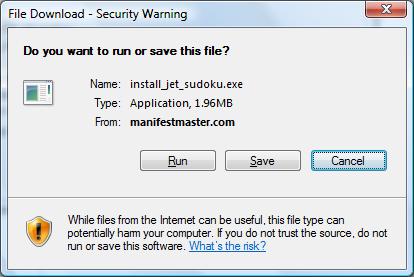
2). You should see this message. Click RUN. You can click
SAVE if you really want to but then you'll have to find where
the file was saved to. Make life easy, just click RUN
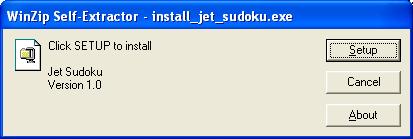
3). Click SETUP
4). Click OK
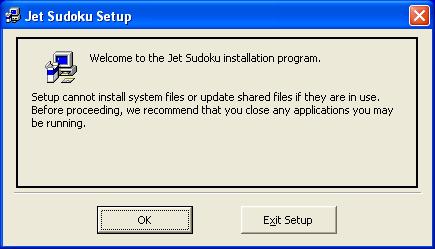
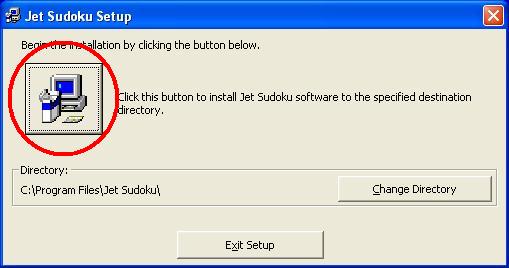
5). This can be a confusing screen. Click the big circled button. It is
recommended that you not the change directory.
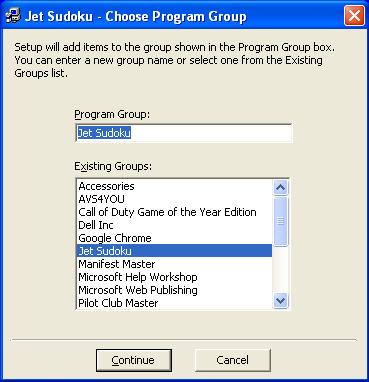
6). Leave this screen alone. Just click CONTINUE
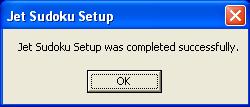
7). Success!
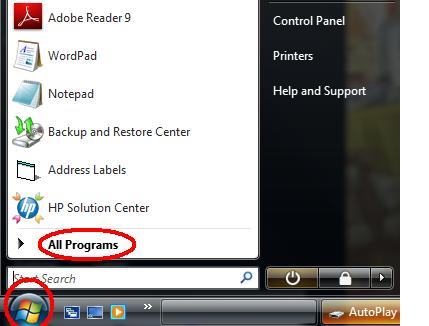
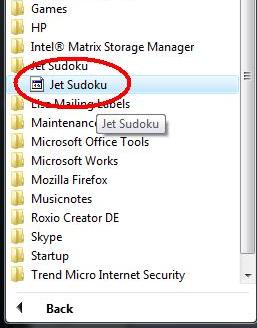
8).To run Jet Sudoku: